Adobe Express animate your voice: free guide
Author
Kavya Sharma
Date Published
Reading Time
7 min read

Adobe Express lets you turn a recorded or uploaded voice clip into a moving, talking cartoon character in a few minutes, at no cost. I tested the full flow myself, from picking a character through downloading the finished clip, and this guide walks you through exactly what happened, what the tool cannot do, and a common error that trips up a lot of first-time users.
Is Adobe Express's animate your voice feature actually free?
Yes. The Animate Characters feature sits on Adobe Express's permanent free plan, and it does not require a card or a trial. You get a working character animation without paying anything, as long as you stay inside the tool's limits on recording length and file type.
You only run into a paywall for extras like premium templates, more Adobe Stock assets, or higher storage. Those sit behind Adobe's paid individual plan, currently listed as Acrobat Express at $10.99 a month.
The character animation feature itself is not part of that gate. Adobe's own feature page confirms this, and my test on the free plan confirmed it too, with no upgrade prompt anywhere in the flow.
How to animate your voice with Adobe Express
You do not need any design or animation background for this. The whole flow runs inside your browser or the Adobe Express app.
Step 1: Open the Animate Characters tool
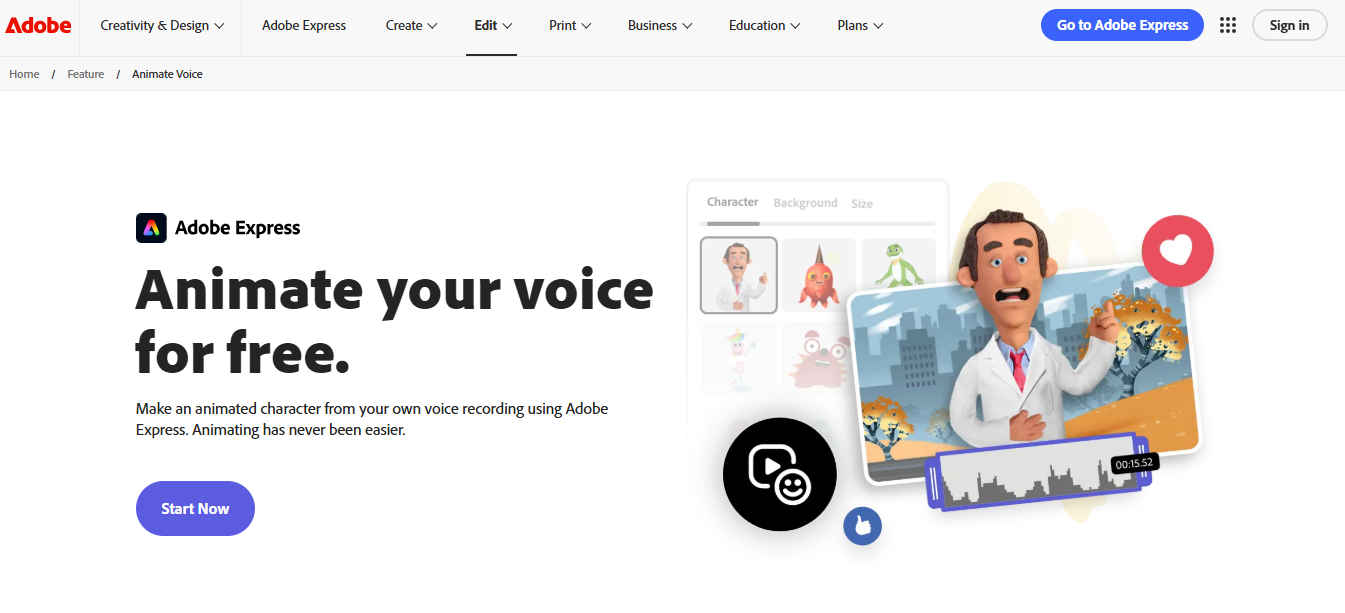
From adobe.com, go to Products and select Adobe Express, or go straight to adobe.com/express. Once there, open the Edit menu and select Animate Characters under Video Quick Actions. Sign in with a free Adobe account if you have not already.
Step 2: Pick a character
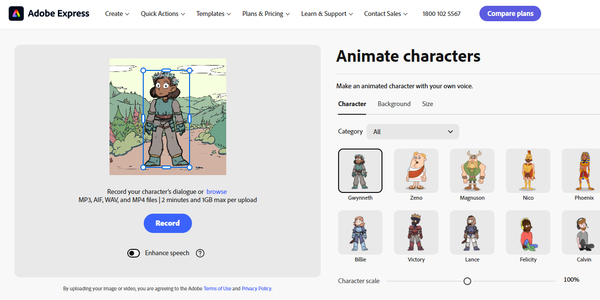
Choose from Adobe's built-in library of animated characters, each with its own art style. You will also see Background and Size tabs right next to it, worth a quick look now, since both feed into the final export.
Step 3: Record or upload your audio
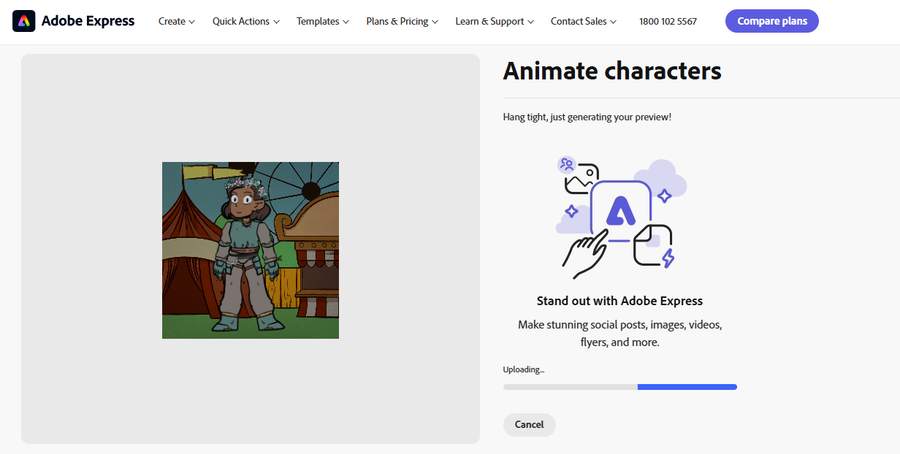
Record straight from your microphone, or upload a file you already have. The upload screen lists MP3, AIF, WAV, and MP4 as accepted formats, capped at two minutes and 1GB per upload.
An "Enhance speech" toggle sits right below the record button, which cleans up background noise on your recording.
Step 4: Let the tool sync the animation
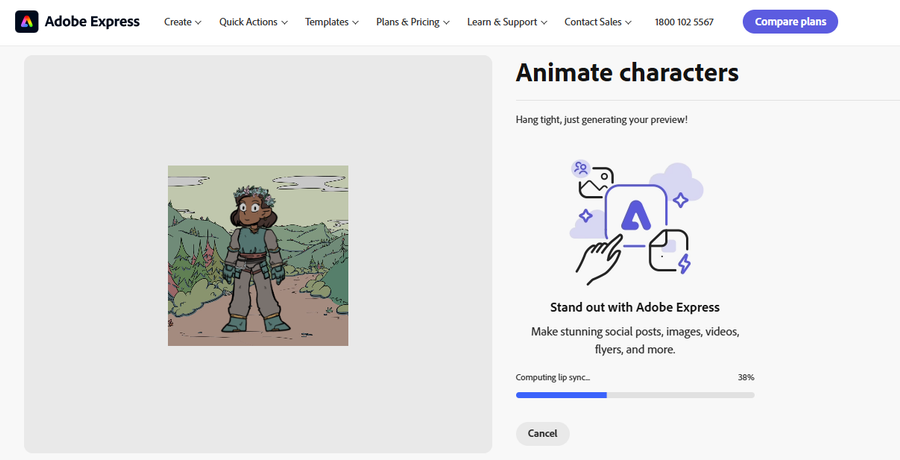
Adobe Express analyzes your audio and automatically matches the character's mouth movements to your speech. In my test, the screen showed "Hang tight, just generating your preview!" with a progress bar, and the sync finished in under a minute for a short clip.
Step 5: Preview and download
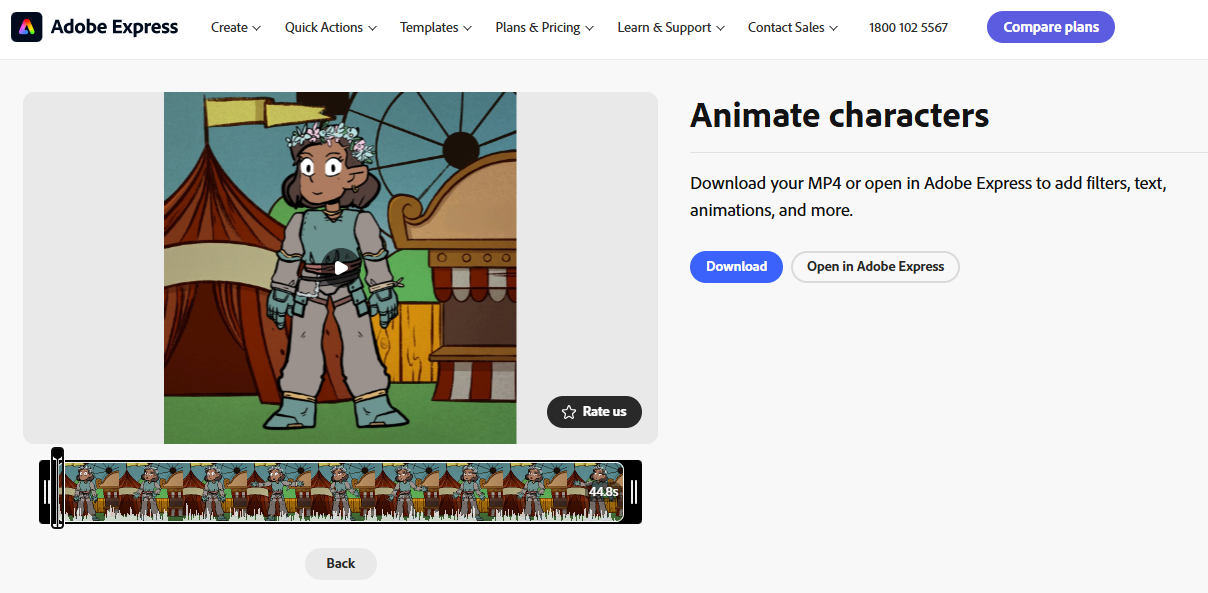
Watch the preview, check the timing, then export. My test export came out a 44.8-second MP4 with no watermark visible anywhere.
You get two options here: Download the MP4 directly, or Open in Adobe Express to add filters, text, or extra animation first.
What you can and cannot customize
You can customize:
- Character: pick from Adobe's built-in library, ten options in my test, including Gwynneth, Zeno, Magnuson, Nico, and Phoenix, each with a distinct art style
- Character size: a scale slider resizes your chosen character
- Background: swap the scene, including a transparent or custom color option, or upload your own background image
- Export size: aspect ratio presets for Square, Story/Reels, Portrait, Landscape, and two IGTV formats
You cannot customize:
- Custom character upload: as of 2026, Adobe only offers its built-in character library, no option to bring your own character art
This limitation came up directly in Adobe's community forum, where a user called the tool "kinda gimmicky" for that exact reason. An Adobe community manager confirmed custom character upload is one of the most requested features that has not shipped yet.
Audio file requirements and limits
- Length cap: 2 minutes per recording or upload, trim or split longer files first
- File size cap: 1GB per upload
- Accepted formats: MP3, AIF, WAV, and MP4-as-audio, as listed directly on the upload screen
Anything outside this list will not process, so convert your file first if it falls outside these formats.
Common problems and fixes
The most reported issue is an "Internal Server Error" message that shows up when trying to upload or process audio. This is documented in Adobe's own community forum, in a thread with more than 13,000 views and over 120 replies, from both free and paying users.
The fix that worked for a lot of people in that thread: convert your audio file to MP3 before uploading it, especially if you started with an .m4a file. This is not an official Adobe fix, but enough users reported success with it that it is worth trying before you give up on a clip.
Animate Characters vs Adobe Character Animator: what's actually free vs paid
Animate Characters, the tool covered in this guide, is a free, template-based feature for quick voice-to-character clips. Adobe Character Animator is a separate, advanced app for real-time, webcam-driven puppet animation, bundled only inside a paid Creative Cloud plan.
Feature | Animate Characters (Adobe Express) | Adobe Character Animator |
Cost | Free, included in Adobe Express Free | Bundled only in Creative Cloud Pro, listed at $69.99/mo regular rate ($19.99/mo for students) |
Input method | Upload or record audio, up to 2 minutes | Live webcam and microphone performance |
Character source | Built-in library only, no custom upload | Custom puppets built in Photoshop or Illustrator |
Skill level | No experience needed | Steeper learning curve, built for animators |
Best for | Quick social clips, explainer intros | Livestream avatars, ongoing animated hosts |
After you download a clip from Animate Characters, Adobe does prompt free users to upgrade for Character Animator. Here's the wider Adobe Express plan structure, checked across the individual, business, and student pricing tabs:
Plan | Who it's for | Monthly | Key limit |
Adobe Express Free | Anyone | $0 | 5GB storage, Animate Characters included, 1 social account per network for scheduling |
Acrobat Express | Individuals | $10.99/mo | Adobe's current "best value" individual plan, bundles Express Premium features with Acrobat AI Assistant and PDF tools, 100GB storage |
Acrobat Express for Teams | Businesses, 2+ seats | $11.99/mo per license | Same premium creative features plus admin console and shared brand templates |
Adobe Express Premium | Students | $9.99/mo | This older plan name and price still shows specifically on the student pricing tab |
Creative Cloud Pro (bundles Firefly and Character Animator) | Individuals wanting the full app suite | $69.99/mo regular, $19.99/mo for students | 4,000 generative credits a month, full Character Animator access |
Note: Adobe's individual plan looks mid-rebrand right now. The main pricing page shows "Acrobat Express" at $10.99/mo, while the student tab still shows the older "Adobe Express Premium" name at $9.99/mo. Confirm which is live before you quote a number.
Who this tool is actually good for
Good for:
- Educators using it as a classroom storytelling aid, students get a fast way to bring a script to life with no editing skill needed
- Social media creators and marketers making quick explainer intros or talking-head alternatives
Skip it if:
- You need a specific custom-designed character
- Your animation needs to run longer than two minutes in one continuous clip
- You need professional-grade lip sync for a longer production, Adobe Character Animator fits that better
Final take
Animate Characters is a genuinely useful free tool for anyone who needs a fast, no-experience animated clip from a voice recording. It has real limits, mainly the two-minute cap and the lack of custom character uploads, and it comes with a known bug worth knowing how to fix before it wastes your time. For quick social content or a classroom project, it does exactly what it promises at no cost.
Frequently Asked Questions
Is Adobe Express Animate your voice really free?▾
How long can my audio recording be?▾
What audio file formats does it accept?▾
Can I upload my own custom character?▾
Why does Animate Characters keep giving an "Internal Server Error"?▾
Can I use it on my phone?▾
Written by
Kavya Sharma
Kavya Sharma is a senior content writer and prompt specialist at FirmBees, focused on AI tools, workflow automation, and practical prompt engineering. She holds Commerce degrees from Delhi University and IGNOU, along with a data analytics certification covering Excel, Power BI, and SQL. That analytical training is visible in her work: every prompt she publishes is tested across multiple AI models, and her guides include specific inputs, expected outputs, and measurable comparisons.