Hotpot AI Review 2026: Tools, Pricing, and Ratings Explained
Author
Ethan Walker
Date Published
Reading Time
8 min read

Hotpot AI gets recommended for LinkedIn headshots one minute and family photo restoration the next. Then you check its ratings and see a 2.1 star Trustpilot score sitting next to a 4.6 on G2.
Here's the direct answer: Hotpot AI is a real, operating platform with tools spanning five categories: AI image generation, headshots, photo editing, game assets, and writing. Its pricing varies by tool rather than following one flat rate.
This review separates what's verified from what other articles just repeat.
What is Hotpot AI?
Hotpot AI is a multi-tool design platform with more than 30 tools across five categories under one login, covering everything from AI art generation and headshots to game assets and writing. The company is Panabee LLC, founded by Clarence Hu, confirmed across his GitHub, X account, Product Hunt profile, and a 2022 NBC LX interview.
A few details other reviews state as fact without checking: the founding year conflicts across sources (2019, 2020, and 2021 all appear depending on where you look), the "backed by Google Ventures and Andreessen Horowitz" claim has no confirming source on Crunchbase or Panabee's own materials, and CB Insights lists Seoul as the HQ while the founder's own accounts point to New York or Palo Alto. None of these are dealbreakers, but you should know what's verified and what isn't.
What tools does Hotpot AI include?
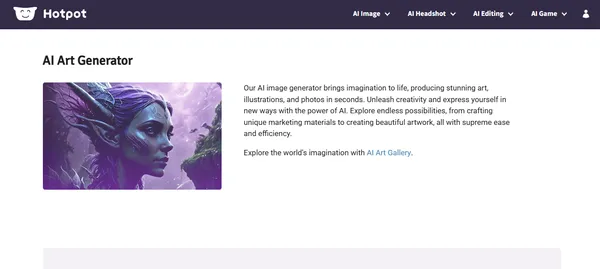
AI art generator. Built on Stable Diffusion, it handles concrete visual prompts well but loses coherence on abstract or technical concepts. A Reddit thread in r/gis documented this directly: a user prompted Hotpot AI to generate an image representing "Geographic Information Systems" and got a generic mountain landscape back. If your use case involves technical or niche subject matter, plan for multiple attempts. If you want more control over which Stable Diffusion model runs the generation, Tensor Art gives access to over a million community-uploaded models and LoRAs on a free tier.
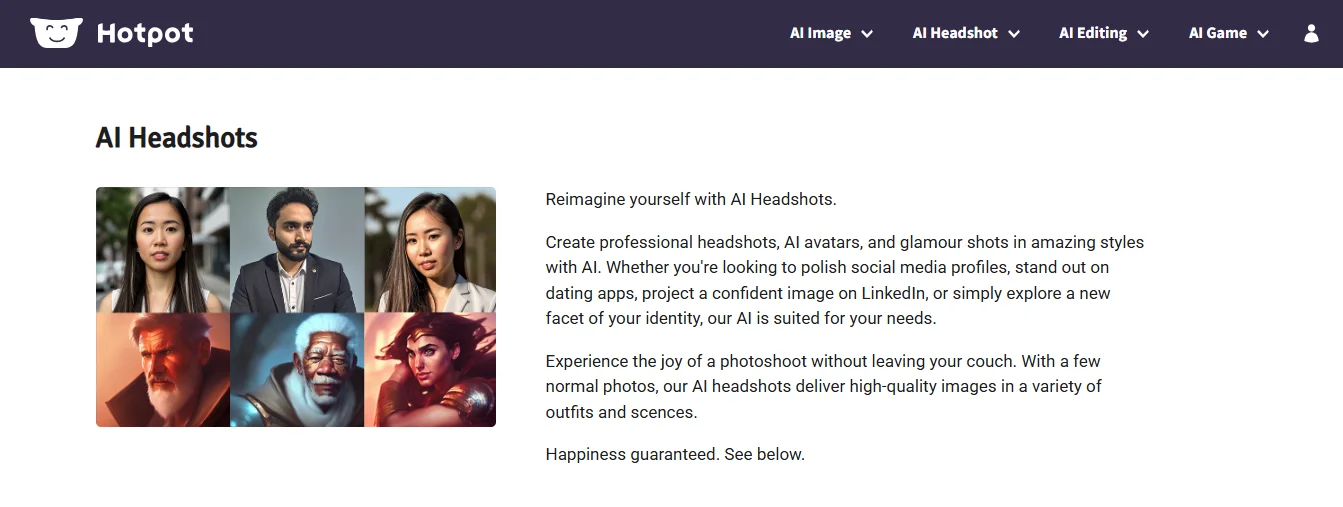
AI headshot generator. Generates professional-looking headshots from uploaded photos, useful for freelancers or remote workers who need a clean LinkedIn photo without a photography session. The catch is consistency. Trustpilot reviews describe batches where only two or three images out of an entire set were usable. Fine for a one-off personal headshot, a real risk for team or client batches.
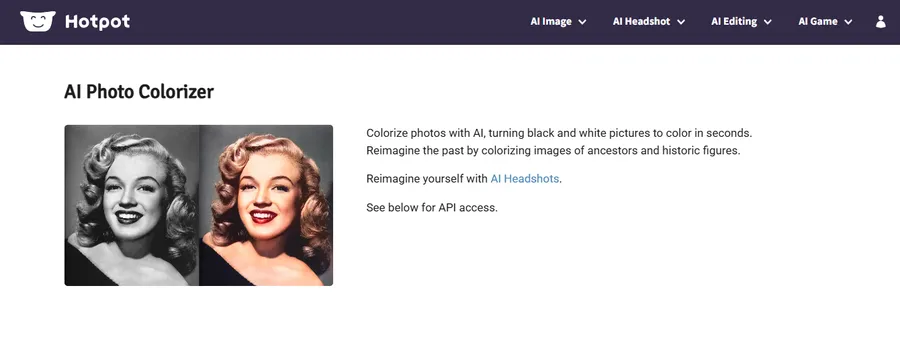
Photo restoration and colorization. The standout tool on the platform. Every independent review researched for this piece, including critical ones, praised this specifically. It handles scratched, faded, and damaged photos well, and the colorization feature works on black-and-white images without manual adjustment.
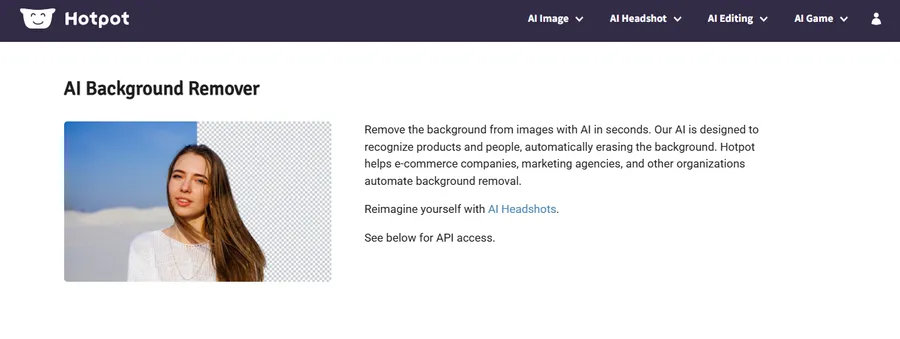
Background and object remover. Works similarly to Canva's built-in remover or remove.bg, just bundled in with everything else. It won't outperform dedicated tools, but it removes the need for a separate subscription if background removal is one of several things you need.
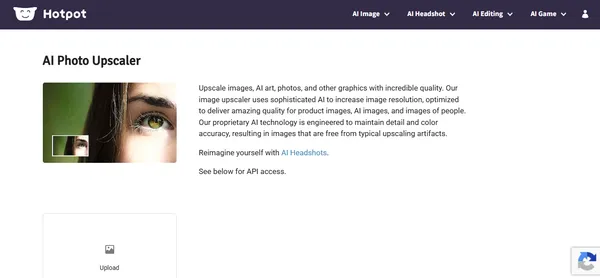
Image upscaler. Useful for turning low-resolution files into something print or social-media ready. A convenient option, not a specialist solution.
Writing tools and API. The API access on paid tiers lets developers integrate Hotpot's image tools directly into their own products or workflows. There's also a Karma Tier program giving students and nonprofits discounted or free credits on request.
Tool | Best for | Known limitation |
AI art generator | Concrete visual prompts | Unreliable on abstract or technical concepts |
Headshot generator | Quick solo professional photos | Batch consistency is a documented issue |
Photo restoration | Old, scratched, or faded photos | None widely reported across reviews |
Background/object remover | Routine clean-up editing | Doesn't outperform dedicated tools |
Image upscaler | Low-res to higher-res conversion | Not benchmarked against specialist upscalers |
Writing tools + API | Developers, commercial workflows | Requires paid tier to access |
Pros and cons
Pros:
- One account, 30-plus tools across five categories: AI image, headshots, photo editing, game assets, and writing. No separate logins or subscriptions, even though pricing varies by tool.
- Photo restoration that actually works. Every independent review, including critical ones, singles this out specifically. It's the most consistently praised feature on the platform.
- Credits don't expire like subscriptions do. You pay closer to what you actually use. Light users won't be locked into a monthly fee for capacity they don't need.
- Free tier is genuinely usable. Watermarked and capped, but covers every tool with no commitment. Enough to test before spending anything.
- Karma Tier for students and nonprofits. Not common among AI tools. Worth requesting directly if you qualify.
Cons:
- Art generator fails on abstract and technical prompts. If your work goes beyond straightforward visual descriptions, the Stable Diffusion base model's limitations show up quickly.
- Headshot batches are inconsistent. Trustpilot users describe getting two or three usable images out of a batch that should have delivered far more. Acceptable for personal use, a real risk for client work.
- Billing complaints are a documented pattern. Recurring charges after account deletion and slow support responses appear across multiple Trustpilot reviews. Not one bad experience, a recurring issue.
- No team collaboration features. No shared workspaces, no template libraries, no commenting. Canva covers this ground far better if you're buying for a team.
- Enterprise pricing is completely opaque. Team, high-volume, and self-hosted plans exist but aren't listed publicly. You only get a number after contacting Panabee directly.
How much does Hotpot AI cost?
Most articles quote "$12 per 1,000 credits." That's outdated. I checked pricing directly on August 25, 2026, and Hotpot has dropped the single flat credit table. Pricing now varies by tool and is disclosed differently on each one.
Photo restoration is the clearest example, with a published rate of $0.02 to $0.25 per image, depending on volume and subscription tier. The art generator shows no price at all until you click "See Prices" or "Upgrade." Same platform, two very different levels of transparency.
What's consistent across tools: a free version exists (usually daily-capped and non-commercial use only), commercial use requires paid credits or a per-image rate, and team or high-volume pricing isn't public anywhere. Contact Panabee directly for that.
Verified August 25, 2026: Photo restoration costs $0.02 to $0.25 per image. Most other tools don't show a price until checkout. There's no flat rate covering the whole platform.
Hotpot AI ratings: Trustpilot vs G2 explained
Trustpilot shows 2.1 stars. G2 shows 4.6. Here's what's actually behind that gap.
Verified August 25, 2026:
- Trustpilot: 9 reviews, 2.1 stars. 89% are 1-star, 11% are 3-star, zero 4 or 5-star.
- G2: 72 reviews, 4.6 stars. 55 five-star, 15 four-star, 2 three-star, zero 1 or 2-star.
Nine reviews means a few frustrated customers define the entire average. Seventy-two reviews with zero 1 or 2-star ratings tells a different story.
Worth noting: Hotpot's Trustpilot profile is unclaimed. The company has never responded to any review there, and Trustpilot flags that the sample "may not be representative."
The Trustpilot complaints are consistent across different reviewers: charges continuing after account deletion, headshots paid for but never delivered, and no customer service number to contact for help.
On G2, verified users praise the Background Removal tool for handling complex edges like hair and fabric cleanly. The main complaint: the free daily limit runs out faster than expected.
Both sets of reviews are real. Trustpilot reflects billing and support frustration. G2 reflects tool performance. Reading only one gives you an incomplete picture.
Who should use Hotpot AI?
Good fit:
- Freelancers and bloggers who need headshots, background removal, and photo restoration without paying for multiple separate tools
- Budget-conscious users willing to work within the free tier's watermark and daily limits for personal projects
- Small businesses that need occasional commercial-use images rather than daily high-volume production
- Developers who want API access to build image functionality into an existing product
- Students and nonprofits who qualify for the Karma Tier discount
Not a fit:
- Agencies or professional artists who need Midjourney-level artistic output consistently
- Teams that need shared workspaces, template libraries, or collaboration features
- Anyone who needs fast, reliable customer support for billing issues
- Businesses that need transparent, publicly listed pricing before committing to a plan
Hotpot AI vs Canva vs Midjourney
Hotpot AI | Canva | Midjourney | |
Best for | All-in-one photo and image toolkit | Templates and team collaboration | High-quality artistic image generation |
Pricing | Per-tool, rates vary | Flat subscription tiers | Flat subscription tiers |
Photo restoration | Strongest feature on the platform | Not a core feature | Not a core feature |
Team collaboration | Not available | Strong | Not available |
Artistic image quality | Moderate, weaker on abstract prompts | Not applicable | Strong |
Free tier | Yes, with watermark and daily cap | Yes, limited features | No |
The practical difference is straightforward. Hotpot AI covers more tool types at a lower entry price. Canva wins if your work is template-driven or team-based. Midjourney wins if artistic image quality is the primary requirement. None of them replace each other cleanly because they're solving different problems.
The bottom line
Hotpot AI is a legitimate platform worth considering if you need photo restoration, background removal, or occasional headshots without juggling multiple subscriptions. The tools that work, work consistently. The gaps, mainly billing support and headshot batch consistency, are documented and worth knowing about before you sign up.
Try the free tier first. It covers every tool with no commitment. If the output quality fits your needs, move to paid. Just check pricing on the specific tool you plan to use, not the main pricing page, since rates vary and aren't always visible upfront.
Frequently Asked Questions
Is Hotpot AI legit or a scam?▾
Is Hotpot AI free?▾
How much does Hotpot AI cost?▾
Who owns Hotpot AI?▾
How does Hotpot AI compare to Canva or Midjourney?▾
What is the strongest tool inside Hotpot AI?▾
Written by
Ethan Walker
Ethan Walker is a content strategist and SaaS industry veteran with over 10 years in the technology space and 5 years focused exclusively on AI. At FirmBees, he sets the editorial direction, selects which companies earn a full overview, and holds every piece to a standard built on verified data rather than vendor claims. His work is shaped by years of competitive analysis and hands-on product evaluation, written for readers making real purchasing decisions.
Comments
Leave a comment
Related posts

Adobe Express animate your voice: free guide
Adobe Express lets you animate your voice for free, no design skill needed. Here's the full walkthrough, real file limits, and a common bug fix, all from a hands-on test.
-1200x630-vWryKcxI41Tzm5IKlq42JLrpT6CNrq.png%3F2026-08-11T20%253A38%253A31.667Z&w=3840&q=82)
8 Best AI Tools for Marketing Automation in 2026
Looking for the best AI tools for marketing automation? We break down 8 platforms and tell you exactly which one fits your business.